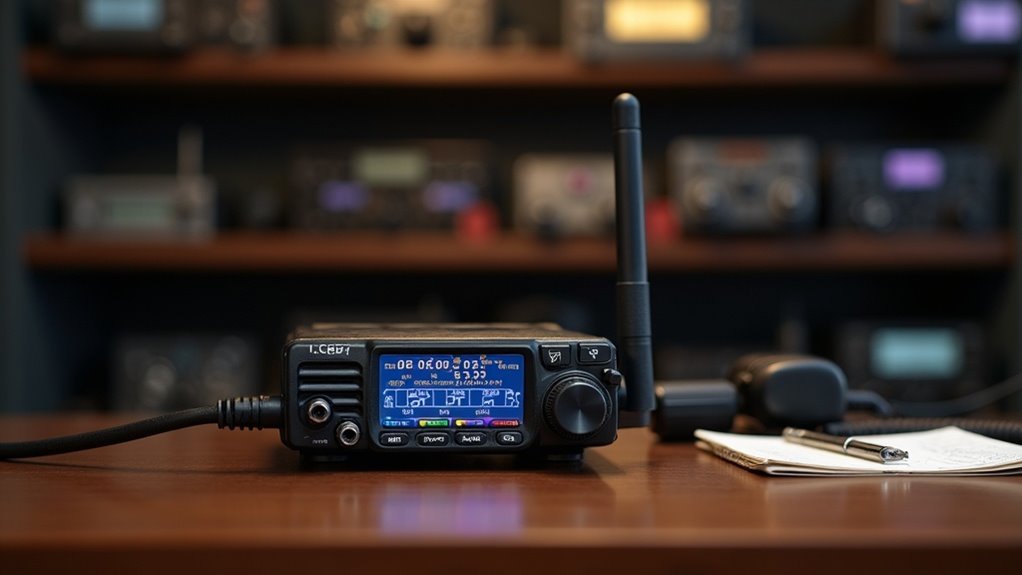
To program your handheld ham radio for survival and prepping purposes, begin by connecting it to your computer with a programming cable. Utilize software like CHIRP to effectively manage frequencies, ensuring you prioritize local repeaters and emergency channels that may be critical in a survival situation. While keypad programming is an option, it can be slower and less efficient. Regularly organize and update your channels to ensure quick access during emergencies. If you run into any issues, check your connection, memory space, and settings. Mastering these basics will bolster your communication capabilities in times of need, and more advanced tips will be available as you delve deeper into your prepping journey.
Key Takeaways
- Utilize a programming cable and CHIRP software to efficiently manage and program crucial frequencies on your handheld ham radio for effective communication during survival situations.
- Prioritize local repeaters and emergency frequencies to ensure reliable communication during crises and disasters.
- Organize programmed frequencies based on essential contacts and common usage scenarios for quick access in urgent situations.
- Regularly review and update your frequency list to maintain its relevance and effectiveness, ensuring you are always prepared for any emergency.
- Troubleshoot common issues by checking connections, adjusting settings, and verifying proper licensing for transmission, so you can stay connected when it matters most.
Understanding Ham Radio Basics
Ham radios, such as the popular Baofeng UV-5R, are invaluable tools for survivalists and preppers looking to maintain reliable communication in emergency situations.
These non-commercial devices operate on various frequency bands, including VHF and UHF, allowing you to connect with local repeaters and access emergency frequencies essential for coordinating with others during a crisis.
Familiarizing yourself with basic radio terminology is crucial; understanding concepts like offset frequencies, CTCSS/DCS tones, and memory channels will enhance your effectiveness in using these radios.
By programming ham radios, you can customize channel settings and store important frequencies for quick access when time is of the essence.
Engaging with the ham radio community through forums and local clubs can significantly improve your preparedness skills and knowledge, making you better equipped to handle emergencies.
Equipment Required for Programming
To effectively program a ham radio for your survival and prepping needs, you’ll require several essential pieces of equipment to ensure seamless communication in critical situations.
Start with a reliable handheld transceiver, such as the Baofeng UV-5R, which is compact and versatile for emergency use. Next, obtain a programming cable, preferably an FTDI cable, to connect the radio to your computer for easier setup.
Begin with a dependable handheld transceiver like the Baofeng UV-5R for effective emergency communication, and don’t forget the FTDI programming cable for setup.
You’ll also need access to a computer with a USB port to run user-friendly programming software like CHIRP, which allows for efficient frequency management. Finally, consult local frequency resources, such as repeater directories or RepeaterBook, to ensure you have the correct frequencies for your area.
Optional accessories, like a cradle charger and spare batteries, can significantly enhance your preparedness and ensure your radio remains operational when you need it most.
Step-by-Step Programming Methods
Once you have all the necessary equipment ready, the next step is to explore the various methods for programming your ham radio, an essential tool for survival communication.
Method 1 involves keypad programming, where you enter frequencies directly. While this can be time-consuming for multiple channels, it’s crucial for ensuring you can communicate in emergencies.
Method 2 utilizes CHIRP software, allowing you to connect your radio to a computer for efficient data management, helping you organize critical frequencies quickly.
Finally, Method 3 offers mobile apps that enable programming via Bluetooth, ideal for managing settings from smartphones or tablets, keeping you prepared on the go.
Organizing frequencies based on usage is vital for quick access, especially during crises. Regular practice with your radio’s menu will greatly enhance your programming efficiency, ensuring you’re ready for any situation.
Best Practices for Frequency Selection
Selecting the right frequencies is essential for effective ham radio communication, especially during emergencies and prepping scenarios.
To optimize your frequency selection, consider these best practices:
- Prioritize Local Repeaters: Utilize resources like RepeaterBook to enhance your communication range and accessibility within your local community, ensuring you stay connected during critical situations.
- Include Emergency Frequencies: Program essential emergency frequencies for quick access in crises, allowing you to reach necessary services and coordinate with fellow preppers.
- Organize Based on Usage: Categorize frequencies for personal contacts, emergency communications, and prepping events to facilitate easy identification and efficient communication when it matters most.
Troubleshooting Common Issues
While preparing your ham radio for emergency communication can be straightforward, various common issues may arise that hinder effective operation when it matters most. You might experience difficulty connecting, so ensure that the programming cable is secure and the correct COM port is selected. If you encounter memory alerts, delete unused channels to free up space. Inadequate audio quality often results from incorrect squelch or mic gain settings. For scanning issues, check the squelch level and frequency range to ensure you can monitor critical communications. Finally, if your radio won’t transmit, confirm that the frequency allows transmission and that your license permits operating on it—important for staying compliant and effective in emergencies.
| Issue | Solution |
|---|---|
| Connection Problems | Check cable and COM port |
| Memory Alerts | Delete unused channels |
| Audio Quality | Adjust squelch and mic gain |
| Scanning Issues | Verify squelch and frequency range |
| Transmission Failure | Check frequency and license privileges |
The Importance of Community Resources
Community resources play a crucial role in enhancing your survivalism and prepping skills. Engaging with these resources can significantly improve your understanding of essential preparedness techniques and strategies.
Community resources are vital for enhancing your survivalism skills and deepening your preparedness knowledge.
Here are three key community resources to consider:
- Local Survivalist Groups: Gain hands-on training and support from experienced preppers in your area.
- Online Forums: Platforms like r/Survivalism allow you to share tips on emergency preparedness, gear recommendations, and survival strategies.
- YouTube Tutorials: Visual guides can deepen your understanding of practical skills, such as foraging, shelter building, and food preservation techniques.
Utilizing these resources not only builds knowledge but also fosters community connections, making your journey in survivalism and prepping more enriching and effective.