To effectively utilize offline messaging options for survival situations, start by downloading a reliable app like Bridgefy or FireChat. Ensure you grant essential permissions for Bluetooth and location access, and set up your user profile while focusing on privacy to protect your information in critical times. Keep Bluetooth activated and test your connection with nearby users to ensure reliable communication when it matters most. It’s vital to stay within proximity for effective messaging, and don’t forget to implement battery management strategies, as these apps can consume power quickly. Are you interested in more survival tips and tricks for efficient offline communication? Just keep reading!
Key Takeaways
- Download a reliable offline messaging app like Bridgefy or FireChat from the app store, ensuring it has the necessary permissions for Bluetooth and location services to enhance your survival communication strategy.
- Enable Bluetooth or Wi-Fi Direct on your device to connect with nearby users, which can be crucial for effective communication in emergency situations when traditional networks fail.
- Create a user profile with a unique username that maintains your privacy, and consider syncing it across multiple devices for quick access during a crisis.
- Conduct a test of the messaging app with another user to ensure it functions properly before you find yourself in an emergency scenario where communication is vital.
- Stay within close proximity to other devices, and manage your battery life by utilizing power-saving modes and carrying portable chargers for prolonged use in survival situations.
Understanding Offline Messaging Technologies
When you think about staying connected in survival situations without relying on the internet, offline messaging technologies become essential tools for effective communication.
These systems primarily utilize Bluetooth, which can connect over distances of up to 473 meters, and Wi-Fi Direct, reaching around 200 meters, to facilitate direct messaging between devices.
Mesh networking enhances this capability by allowing messages to bounce between devices, significantly extending your communication range.
In emergencies or remote areas with unreliable coverage, these decentralized communication technologies prove invaluable.
By leveraging peer-to-peer protocols, offline messaging ensures secure, direct exchanges without the need for centralized servers.
It’s all about staying connected and prepared, no matter the circumstances!
Selecting the Right Offline Messaging App
How can you choose the best offline messaging app for your survival and prepping needs?
First, consider what aspects are most important for your situation. If privacy and security are critical during emergencies, Briar’s secure peer-to-peer messaging is an excellent choice, as it avoids reliance on centralized servers.
For group coordination during outdoor events or crises, Bridgefy’s Bluetooth mesh can connect you with others up to 330 feet away, making it ideal for situations where traditional communication methods fail.
If you need to communicate with multiple people at once, FireChat supports chats with up to 50 users, ensuring your group stays connected.
For those using iOS devices, AirChat provides a user-friendly interface via Wi-Fi or Bluetooth, making it simple to reach out in various scenarios.
Lastly, always check compatibility with your devices to ensure a seamless messaging experience.
Choose wisely to enhance your preparedness and communication strategy!
Installation and Permissions Setup
After you’ve selected the right offline messaging app tailored to your survival and prepping needs, the next step is getting it up and running.
Start by downloading your chosen app, like Bridgefy or Briar, from the Google Play Store or Apple App Store. During installation, you’ll need to grant permissions for Bluetooth, location services, and storage access to ensure that the app functions effectively in emergency situations.
Don’t forget to activate Bluetooth or local Wi-Fi so the app can connect with nearby users, which is crucial for communication when traditional networks are down.
Finally, conduct a test message with a fellow prepper to confirm the app’s functionality before relying on it in critical situations.
Stay prepared and happy messaging!
Creating Your User Profile
Now that you’ve got the app installed, it’s time to create your survivalist profile!
Start by choosing a username that reflects your prepping philosophy, and don’t forget to set your privacy preferences to safeguard your personal information.
If you plan to sync your profiles across devices for easy access to your survival resources, make sure to follow the steps for a seamless connection!
Selecting Your Username
When you set up your user profile on a survivalism and prepping forum, choosing a distinctive username is crucial, as it will be how others in the community recognize you. Aim for a name that reflects your interests and expertise while maintaining a level of privacy, as some platforms may display it to others in the network.
Always adhere to the forum’s guidelines, avoiding any prohibited content or symbols to avoid account issues. You can also enrich your profile with additional information about your prepping skills or a profile picture that resonates with the survivalist theme, making it more engaging for fellow members.
Choose wisely, and you’ll create a memorable presence in the world of survivalism!
Setting Privacy Preferences
How can you ensure your privacy while using offline messaging apps in a survivalist context?
Start by creating a unique username that reflects your preparedness mindset without revealing personal details.
Explore the app’s privacy settings to control who can view your profile and message you—limiting visibility to trusted survival allies is a strategic move.
Enable end-to-end encryption for your conversations to ensure that only intended recipients, such as fellow preppers, can read your messages.
Regularly review permission settings related to location and Bluetooth to safeguard your personal information and device connectivity, especially during sensitive communications about resources or plans.
And don’t hesitate to block users who compromise your privacy, thus fostering a safer communication environment essential for effective prepping.
Syncing Profiles Across Devices
Syncing your profile across devices is crucial for staying connected with your survivalist network, especially when you’re out in the field.
To create your user profile in an offline messaging application, download it from the Google Play Store or Apple App Store, and follow the in-app instructions. Be sure to grant necessary permissions like Bluetooth and location access for efficient device discovery.
Choose a unique username that reflects your survivalist persona, which will be visible to others without the need for online registration. To sync profiles effectively, sign into the same account or utilize the app’s profile sharing feature.
Remember to regularly check for app updates to ensure that your syncing capabilities remain reliable and efficient—vital for any prepper!
Connecting With Nearby Users
Connecting with nearby users through offline messaging apps can be a crucial tool for survivalists, especially in situations where traditional communication methods fail.
To effectively utilize this technology, consider these steps:
- Enable Bluetooth or local Wi-Fi on your device to establish direct connections, ensuring you can communicate even in remote areas.
- Utilize apps like Bridgefy and FireChat to locate nearby users after allowing location access, which can be vital during emergencies or disasters.
- Stay within Bluetooth’s effective range of 100 meters to maintain a reliable line of communication.
- Test the app with a fellow prepper to ensure everything functions smoothly before you need it in a real situation.
Initiating Conversations and Messaging
Once you’ve established your offline messaging app and connected with nearby users, it’s time to initiate those important survival conversations.
Ensure that Bluetooth is activated to enable secure peer-to-peer connections. Create a profile or username to identify yourself within the app, typically without the need for online registration.
Activate Bluetooth for secure peer-to-peer connections and create a username for easy identification within the app.
When you detect nearby users, select their profiles to start communicating through the messaging interface. You can send text, images, or voice notes seamlessly, which can be crucial during emergencies.
Before heading out into the field, it’s wise to test the app’s functionality with a fellow prepper to confirm successful message delivery.
This preparation will ensure you’re ready to communicate effectively with your survival network when it matters most!
Optimizing Mobile Settings for Offline Use
To enhance your offline messaging experience while preparing for emergencies, it’s crucial to optimize your mobile settings for reliable communication.
Follow these tips for effective connectivity:
- Enable location services to locate nearby users via Bluetooth, which can be vital in survival situations.
- Keep Bluetooth and Wi-Fi on to establish direct connections with other devices, facilitating quick exchanges of information.
- Disable power-saving modes that could inadvertently disable Bluetooth or Wi-Fi, ensuring your devices remain functional when needed most.
- Grant all necessary permissions during app setup, including storage and location access, to maximize app functionality in critical times.
Common Challenges and Solutions in Offline Messaging
When engaging in offline messaging for survival communications, you may encounter a few common challenges.
Limited connectivity range can prevent you from reaching fellow survivalists who are just beyond your effective communication distance.
Additionally, battery drain can abruptly cut your conversations short when you need to relay critical information.
Compatibility issues can also arise if not everyone is using the same version of the messaging application, so it’s wise to ensure all members of your group are on compatible software before relying on it for important messages in a survival scenario.
Limited Connectivity Range
Limited connectivity range presents a considerable obstacle for offline messaging apps, especially crucial in survival and prepping scenarios where reliable communication is key.
These apps typically rely on Bluetooth and Wi-Fi Direct technologies, with Bluetooth having a range of up to 100 meters and Wi-Fi Direct extending to about 200 meters. In expansive outdoor or wilderness areas, this limitation can hinder effective communication.
Here are some strategies to enhance your survival communication efforts:
- Stay Close: Maintain proximity between devices to ensure messages are delivered effectively.
- Utilize Mesh Networks: Connect with other users to relay messages through intermediary devices, expanding your reach.
- Avoid Obstacles: Reduce interference by navigating around walls, large structures, and electronic devices that can disrupt signals.
- Plan for Battery Life: Carry external power sources to ensure your devices remain operational during extended use in the field.
Implementing these tips can significantly improve your offline messaging experience in survival situations!
Battery Drain Issues
While staying connected in remote areas is crucial for survival and prepping, battery drain can pose a significant challenge when using offline messaging apps. These apps often utilize Bluetooth and Wi-Fi Direct, which can consume 20-30% of your battery per hour.
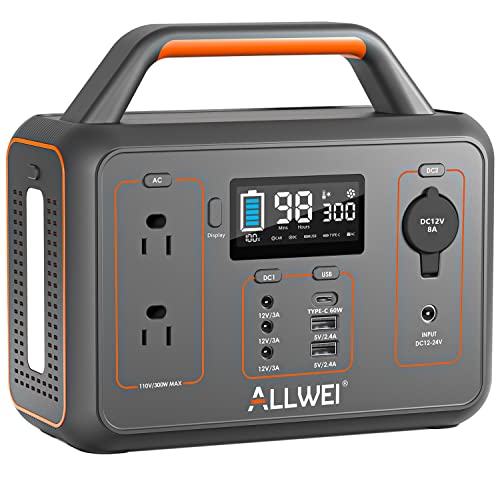
To mitigate this issue, enable power-saving modes to reduce background activity while still maintaining vital communication. It’s also wise to carry portable chargers or solar-powered battery packs for outdoor excursions or emergencies where traditional charging options may be unavailable.
Regularly testing your apps in real-world scenarios is important to assess battery consumption, ensuring you’re fully prepared for extended offline messaging sessions. Stay connected and ready for any situation without allowing battery drain to hinder your survival efforts!
Compatibility Challenges
As you prepare for offline communication in survival situations, you may quickly face compatibility challenges that could hinder your ability to connect with others.
Here are some common issues and solutions to keep in mind:
- Device Limitations: Ensure your communication devices are compatible with essential technologies like Bluetooth or Wi-Fi Direct, which can be crucial in emergencies.
- Initial Setup: Some messaging apps may require internet access for initial registration. Make sure to check their requirements and set them up in advance.
- Range Variability: Be aware that the effective range of Bluetooth and Wi-Fi Direct can be limited, which could restrict communication in remote or sparse areas.
- Cross-Platform Issues: Take caution with messaging platforms that emphasize security features, as they may not function reliably across different devices, especially during critical situations.
Stay informed and prepared, and you’ll be better equipped to navigate these challenges when they arise!